
Computer Desk Setup, Monitor & Developer Workflow
My desk setups progressed over time. From side-by-side displays to an ultrawide and portrait combo, and finally to a single 27’’ or an extended laptop setup for meetings.
# Monitor Setups
My Monitor setup over the years.
_1771693321497.webp)
Wide-Screen, see my
Battlestation in the Alps on Reddit
_1771693388263.webp)
Portrait monitor on the left with wide-screen as main.
_1771693419201.webp)
27’’ as main driver and laptop screen when having a meeting. Also shared on
Twitter.
_1771693671780.webp)
Another one with the Portrait Monitor and night-light mode.
_1771693509580.webp)
Single monitor with same laptop screen for meetings
_1771693701007.webp)
Multi-monitor and laptop setup.
_1771693746321.webp)
Flightradar check with wide-screen.
Also see Distraction-Free Typewriter, where I share my small computer.
Find more images with
#TodaysOffice on Twitter/X Posts (need to remove dash - with blank, otherwise it show not only my posts (HTML rendering..)) or
Bluesky Thread. Or some olders once in a blog post about
Today’s Office while on the Road .


Also check out Todays Office images.
# Shortcuts for Virtual Desktops
Throughout this journey, I’ve tried various alignments and configurations, ultimately concluding that the best setup for me is a single screen with separate desktops. I switch between them using these handy shortcuts:
🖥️ Super+1: Terminal for coding
🖥️ Super+2: Browser for research and browsing needs
🖥️ Super+3: Obsidian for notes, thinking, writing, and my Second Brain
🖥️ Super+4: Music, featuring Spotify and Focus@Will for all things auditory
🖥️ Super+5: Collaboration tools like Slack, Asana, Nirvana, and my to-do lists
🖥️ Super+6: Extra (when laptop screen is open): Additional screens for meetings with Zoom, etc.
🖥️ Super+7: Extra (when laptop screen is open)
I’ve also experimented with various keyboards and mice. Currently, I’m using the Kinesis Advantage 2 and My KBDFans DZ65RGB as my daily drivers.
What is your go to setup after trying different setups?
Swapped
AltwithSuperI swapped to Super instead of Alt since I’m on Linux (and using
altfor tmux). Check out Omarchy as my Linux setup and My Journey from macOS to Arch Linux with Omarchy.
# Monitor Alignment
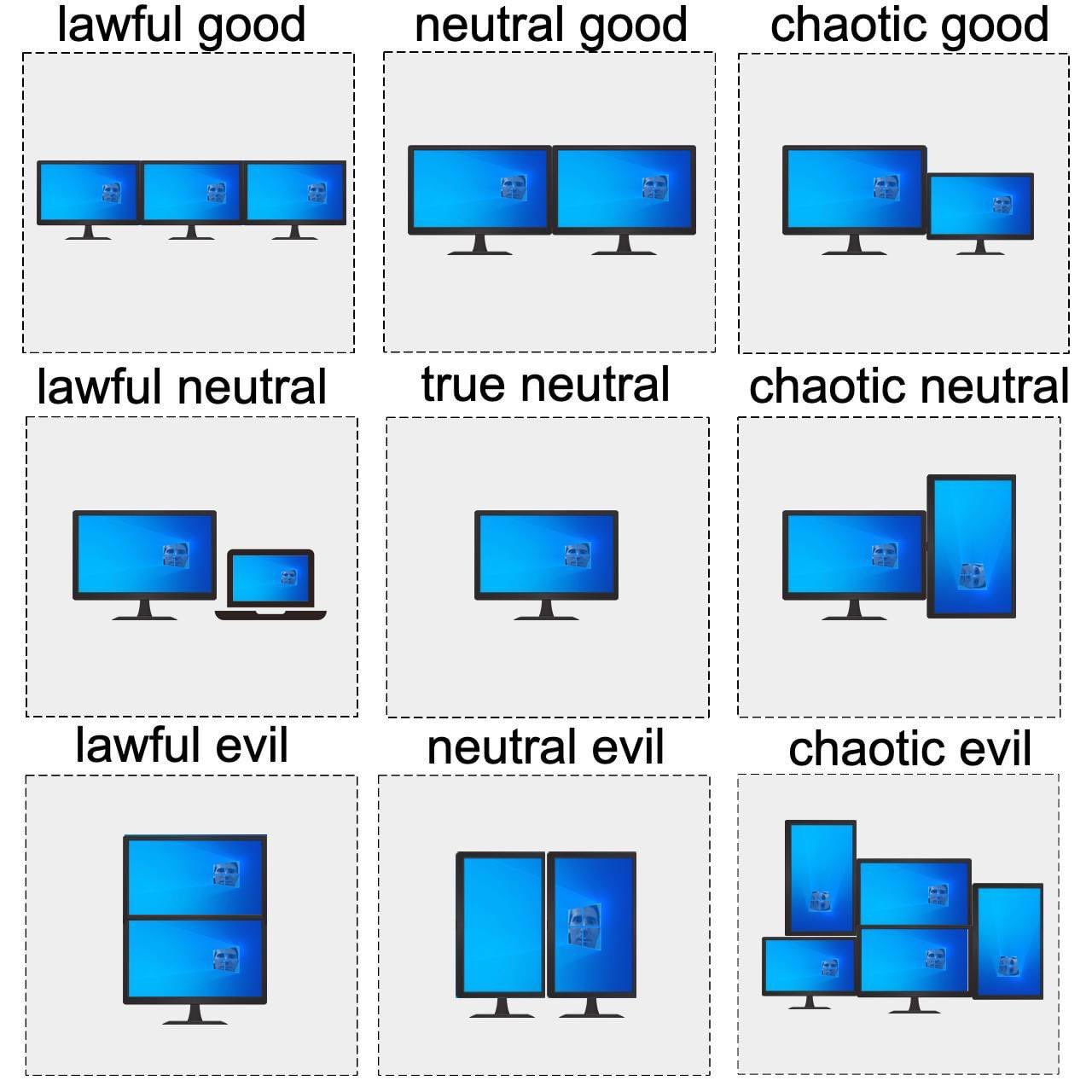
Which one are you? 😉
# How I Landed on a Single Screen Setup?
I found that I can’t focus on both documentation and example at the same time anyway, so having them in the optimal position in the middle, and then switching between them ultra fast is key (single shortcut, hence above ). I feel like these speed-reading tools, which always put the words in the middle at the exact same position, make it easier to read vs. constantly jumping left to right with the eyes and searching for the last point.
Also, there are tasks that I move my browser next to my terminal, which is why a 27’’ works well for me, as you can still put them side by side when needed. Or what I do much more, pop up a Claude Web as an overlay window, hit it off, and then hide it again. Only for video calls, I prefer to keep my laptop as a second screen so I can do stuff while sharing the screen.
Original inspiration I also got from ThePrimeagen, which is a huge single-monitor proponent.
# Some Images
Find more images in links below Screen Setup:
# Developer Workflows
Mind my worksflows at:
- My Obsidian Note-Taking Workflow | ssp.sh
- My Journey from macOS to Arch Linux with Omarchy | ssp.sh with Omarchy and Linux, including a YT video: Omarchy Arch Tiling Window Workflow (macOS comparison) - YouTube
- Watch my MacOS workflow video at macOS Tiling Windows Setup for Data Engineers & Writers | yabai + skhd - YouTube.
- Or collaboration workflow with Obsidian and Markdown at Efficient Markdown Collaboration (HackMD, Obsidian, Neovim, VSCode) - YouTube.
- Or find My Tech Stack and all my configs at dotfiles.ssp.sh
# Others Workflows I like
- My Developer Workflow - How I use i3, tmux, and vim by ThePrimeagen
- Go fullscreen with all your apps by Jason Fried
Origin:
Then vs. Now
References: Location Independent Lifestyle, My Laptops or Notebooks, My Monitors, Today’s Office